


 Contact Us
 Appliances
 Agri Inputs
 Auto Components & Accessories
 Beauty & Personal Care
 Electronics
 Fashion
 Grocery
 Gift Cards
 Home & kitchen
 Health & Wellness
 Vehicles & Automotives
 Books & Stationary
 Pet Care
 Toys & Games
How to Connect Shopify Store to WhatsApp and Start Selling
WhatsApp Commerce
Key Takeaways
- WhatsApp commerce gives your Shopify business another way to reach customers, answer their questions, and turn product discovery into sales.
- From sharing product links to creating a connected WhatsApp store for Shopify, choose a setup that makes browsing and buying easier for your customers.
- With Mystore, you can connect your Shopify catalogue to WhatsApp, simplify product discovery, and guide customers to checkout on the Mystore website.
- Once your store is set up, focus on clear product details, quick replies, relevant offers, and a smooth mobile checkout to turn more conversations into purchases.
What if your Shopify customers could shop directly through WhatsApp? With WhatsApp commerce, you can make buying easier by bringing product discovery and customer conversations into one seamless shopping journey.
Imagine a customer browsing your Shopify store and messaging you on WhatsApp to check if a product is available in another colour. You share the product link, but they still need to leave the conversation, open your website, and complete the purchase there. For customers looking for a quick, hassle-free experience, that extra step can create friction and sometimes lead to a lost sale.
Instead of using WhatsApp commerce only to answer queries or send promotional offers, you can bring your entire Shopify store to WhatsApp, making it easier for customers to browse your products and shop directly through a familiar messaging platform.
For Indian Shopify sellers, D2C brands, and retailers, Shopify WhatsApp integration offers a chance to connect customer conversations with product discovery and purchase. With the right setup, you can create a smoother buying experience and give customers another convenient way to shop with your brand.
But can you turn WhatsApp into a store for your Shopify customers? Yes, the right WhatsApp ecommerce solution can help you build a more connected shopping experience. Let’s explore how it works, the options available to sellers, and how Mystore can help you make the most of WhatsApp commerce for Shopify.
Table of Contents
- Why Bringing Your Shopify Store to WhatsApp Commerce Is Becoming Non-Negotiable
- Can You Really Turn WhatsApp Into a Shopify WhatsApp Store?
- How Does a WhatsApp Store Work for Shopify Customers?
- What Are the Different Ways to Sell Shopify Products Through WhatsApp Commerce?
- Shopify Store vs WhatsApp Commerce Store: Do You Need Both?
- How Can You Set Up a WhatsApp Store for Your Shopify Business?
- How Mystore Helps Shopify Sellers to Connect Their Shopify Store to WhatsApp
- How to Connect Shopify Store to WhatsApp with Mystore
- How Can You Attract More Customers to Your WhatsApp Store for Shopify?
- Conclusion
- FAQs
Why Bringing Your Shopify Store to WhatsApp Commerce Is Becoming Non-Negotiable
Indian shoppers are already using WhatsApp to discover products, ask questions and explore offers, making it an increasingly important channel for online businesses. For Shopify sellers, bringing their store to WhatsApp Commerce helps them reach customers where they already spend time, simplify product discovery, and create a more convenient channel from browsing to buying.
Here are some statistics that show the growing potential of WhatsApp Commerce in India.

- 60%+ of Indian WhatsApp users message business accounts
- 72% of product discovery happens through WhatsApp
- 60% of users are likely to buy after seeing WhatsApp offers
- 61% higher ROAS from Click-to-WhatsApp campaigns
- 62% average increase in leads generated through WhatsApp
- 22% higher order values driven by WhatsApp
- 91% of conversational AI interactions happen on WhatsApp
Sources: Meta, Meta + Retailers Association of India, Infobip
These numbers show how WhatsApp commerce can help businesses reach more customers, build engagement and drive sales. With the right Shopify WhatsApp integration, sellers can turn this potential into a more convenient shopping experience for their customers.
Can You Really Turn WhatsApp Into a Shopify WhatsApp Store?
Yes, Shopify sellers can use WhatsApp commerce to connect their product catalogue, customer conversations, and ordering process through a suitable integration. Depending on the solution, customers can browse products, ask questions, select items, and proceed to checkout.
With the right Shopify WhatsApp integration, businesses can make WhatsApp an additional shopping channel. While a regular WhatsApp Business account supports customer conversations and product sharing, a connected WhatsApp store for Shopify can link product discovery with a more structured shopping journey. This makes WhatsApp ecommerce a practical option for sellers looking to give customers another way to shop.
Here’s a quick comparison of regular WhatsApp Business and a connected WhatsApp commerce experience for Shopify sellers.

For Shopify sellers, the right setup should do more than display products on WhatsApp. It should help keep product details up to date and make it easier for customers to place orders. Features like inventory syncing, checkout, and automated order updates depend on the integration you choose.
How Does a WhatsApp Store Work for Shopify Customers?
A WhatsApp store for Shopifymakes shopping easier by letting customers discover products, ask questions, and explore their options on a platform they already use every day. Depending on the Shopify WhatsApp integration, they can browse the catalogue, choose what they want, and move to checkout without a complicated shopping journey.
Here’s what the shopping journey can look like:
1. Discover the store: Customers can find your store through a WhatsApp link, QR code, or a direct conversation with your brand.
2. Browse products: They can explore your product catalogue on WhatsApp or click on product links shared by your team to find what they need.
3. Ask product questions: Before buying, customers can ask about sizes, colours, prices, product availability, and delivery details, helping them make informed decisions.
4. Select products: If the integration supports it, customers can add items to a WhatsApp cart, review their choices and get ready to place an order.
5. Complete the purchase: Once they've selected their products, customers can proceed to a connected Shopify checkout or use another supported payment option to complete their purchase.
6. Get order assistance: Depending on your Shopify WhatsApp integration, customers may also receive order updates, delivery notifications and post-purchase support through WhatsApp.
This is what makes WhatsApp commerce convenient for customers. They can explore products, ask questions, and get help while deciding what to buy, all through a messaging app they already use.
However, the shopping experience depends on the solution you choose. Features such as catalogue access, cart functionality, payment options, checkout, and automated order updates may vary across WhatsApp ecommerce integrations. So, before choosing a WhatsApp store for Shopify, check which features are supported and how they connect with your existing store.
What Are the Different Ways to Sell Shopify Products Through WhatsApp Commerce?
Shopify sellers can use WhatsApp ecommerce in several ways, from sharing product links and promotions to creating a connected shopping experience. The right approach depends on whether you want to generate enquiries, promote products or help customers shop directly through conversations.

1. Share Shopify Product Links on WhatsApp
The simplest way to start selling is to share Shopify product links in customer conversations. Shoppers can explore product details and complete their purchases on your website. This works well for businesses handling occasional product enquiries or personalised recommendations.
2. Create a WhatsApp Business Catalogue
Display products with images, descriptions and prices within WhatsApp Business. Customers can browse available products and enquire about items without searching through your website. This approach suits small catalogues and businesses comfortable managing enquiries and orders manually.
3. Use WhatsApp for Shopify Marketing
Send product launches, promotional offers, back-in-stock messages and other updates to opted-in customers. With a suitable Shopify WhatsApp integration, businesses can also automate selected marketing messages and customer communications. This method works best for customer engagement, repeat purchases and campaign-driven sales.
4. Build a Connected Shopify WhatsApp Store
For a more complete WhatsApp ecommerce experience, connect your Shopify catalogue with a compatible WhatsApp ecommerce solution. Customers can discover products, get recommendations, ask questions and select items through conversations before completing checkout on your connected Shopify website. Depending on the integration, order updates and customer support can also be automated.
Each approach offers a different way to reach and engage Shopify customers, but connected WhatsApp commerce can bring product discovery and buying conversations closer together. So, do you still need a Shopify store alongside your WhatsApp commerce store, or can one replace the other? Let’s evaluate.
Shopify Store vs WhatsApp Commerce Store: Do You Need Both?
Yes. Your Shopify store and WhatsApp commerce channel serve different purposes. While Shopify provides your online storefront and checkout, WhatsApp helps customers discover products, ask questions and make buying decisions through conversations.
Using both allows you to reach customers through their preferred shopping channels without managing separate product catalogues.
With Mystore, sellers can connect their Shopify catalogue to create a WhatsApp ecommerce shopping experience where customers explore products through chat and complete checkout on the connected Mystore website.
How Can You Set Up a WhatsApp Store for Your Shopify Business?
Setting up a WhatsApp store for Shopify starts with identifying what you want customers to do through WhatsApp and choosing an integration that supports your requirements. Before getting started, consider these four steps.
Step 1: Decide What You Want Your WhatsApp Store to Do
Start by identifying what you want customers to do on WhatsApp. Do you want them to browse products, ask questions, receive order updates or complete purchases through a connected checkout? Knowing your priorities will help you choose the right WhatsApp commerce solution.
Step 2: Get Your Shopify Catalogue Ready
Before setting up your store, review your product names, images, descriptions, prices, variants and stock details. Keeping this information accurate helps customers find the right products and avoids confusion caused by outdated details.
Step 3: Compare Shopify WhatsApp Integration Options
Explore different Shopify WhatsApp integration options and compare their features. Look for catalogue synchronisation, automated messaging, cart functionality, checkout options and compatibility with your existing Shopify store. Also, check whether you need any additional tools to access the features you want.
Step 4: Align Checkout and Order Management
Before choosing an integration, find out where customers will complete their purchases, how orders will be recorded, and whether order updates can be automated. This will help you understand how the solution fits into your existing workflow.
Once you know what your business needs, you can choose an approach that works for you. If you're considering Mystore, the next section walks you through setting up a connected WhatsApp shopping experience.
How Mystore Helps Shopify Sellers to Connect Their Shopify Store to WhatsApp
Mystore helps Shopify sellers bring their existing products to WhatsApp without the hassle of creating a new catalogue from scratch. To build a WhatsApp store for Shopify sellers, they can sync product data from their Shopify store, manage their products more easily, and use WhatsApp as another channel to reach customers and drive sales.
Here are six ways Mystore helps you expand your Shopify business through WhatsApp commerce:
1. Bring Your Shopify Products to Mystore
Already have a product catalogue on Shopify? You don't have to create all your listings again to connect your Shopify store to WhatsApp with Mystore. You can bring your existing product data into Mystore, saving time and effort while getting your catalogue ready to reach more customers through WhatsApp.
2. Extend Your Reach Through WhatsApp
Your customers may prefer browsing products on WhatsApp rather than visiting an online store directly. Mystore lets you connect an eligible WhatsApp Business account through Meta and link your product catalogue to WhatsApp.
After configuring the catalogue and registering the product feed, your products can appear in the WhatsApp catalogue. This gives customers another convenient way to discover your offerings through an app they already use.
3. Make Product Discovery More Convenient
Customers don't always want to browse an entire website to find what they're looking for. A connected WhatsApp ecommerce experience gives them another way to explore your catalogue and discover products that match their needs, making product discovery more convenient.
4. Make Checkout Simple and Convenient
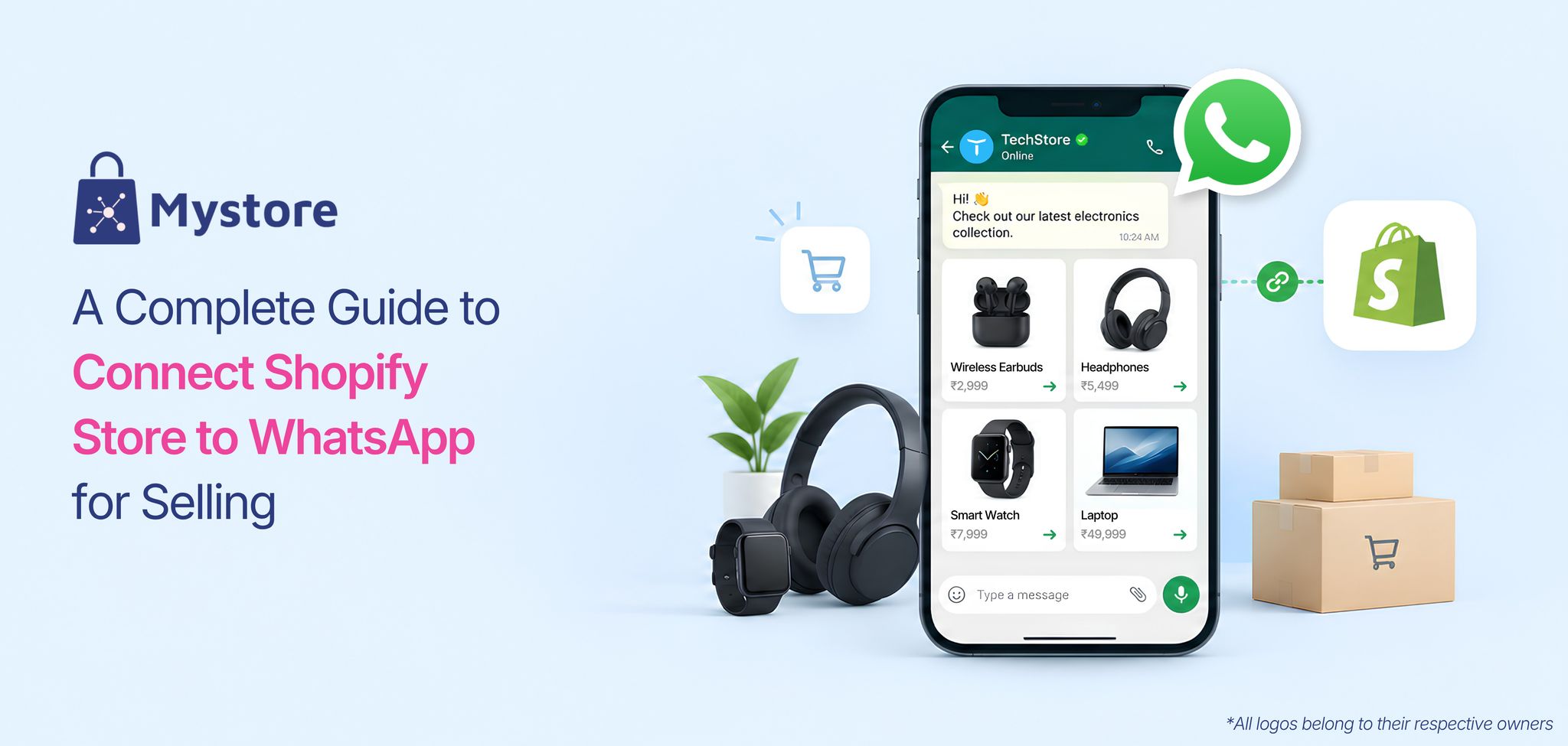
Once customers have picked what they want to buy on WhatsApp, they can head to Mystore to complete their purchase. With Mystore's WhatsApp Commerce integration, customers can browse your catalogue, add products to their WhatsApp cart, and place an order. They receive a checkout link that opens their cart on the Mystore website, where they can complete their purchase within WhatsApp's in-app browser.
5. Explore Additional Sales Channels
As your business grows, you may want to reach customers beyond WhatsApp. Mystore lets you keep your existing Shopify store while syncing products, inventory, prices, and orders to sell through Mystore, the ONDC Network, your own website, and other channels without managing each one separately.
6. Explore AI-Powered Shopping Experiences
Customers sometimes need help finding the right product, especially when your catalogue contains hundreds or thousands of listings. Mystore offers AI-powered capabilities, including semantic search and product recommendations, to help shoppers discover relevant products across supported shopping experiences.
If you're a Shopify seller planning to sell on WhatsApp, Mystore gives you a way to connect your existing catalogue with an additional sales channel. Before getting started, check the requirements for Shopify synchronisation, WhatsApp catalogue setup, and checkout to choose the right Shopify WhatsApp store solution for your business.
How to Connect Shopify Store to WhatsApp with Mystore
Connecting Shopify store to WhatsApp through Mystore helps you bring your product catalogue to WhatsApp and offer customers a convenient shopping experience.
Follow these steps to get started:

1. Create Your Mystore Storefront: Create your online store on Mystore and connect your Shopify store. Sync your product catalogue through the supported integration.
2. Connect Your WhatsApp Business Account: Connect your WhatsApp Business account with Mystore to manage customer conversations, send notifications, and run WhatsApp campaigns from a single dashboard.
3. Set Up Messages and Chatbots: Use ready-made WhatsApp message templates or build a chatbot without coding requirements to handle common customer enquiries.
4. Enable WhatsApp Shopping: Let customers browse products, ask questions, and proceed to checkout through the supported shopping flow.
5. Automate Order Updates: Configure supported notifications to keep customers informed about order progress and delivery.
6. Manage Conversations and Orders: Use Mystore's unified dashboard to manage customer interactions and monitor orders alongside tracking orders and fulfilment
With Mystore, you can build a WhatsApp store for Shopify customers that connects product discovery, customer communication, and checkout in a more convenient shopping journey.
How Can You Attract More Customers to Your WhatsApp Store for Shopify?
Setting up a WhatsApp store for Shopify is just the beginning. To turn it into a useful sales channel, make your catalogue easy to explore, keep product details clear, and help customers move from asking questions to placing an order without any hassle.
1. Promote WhatsApp Shopping Across Your Channels
Make it easy for customers to find your WhatsApp store for Shopify by adding WhatsApp links or QR codes to your Shopify website, social media profiles, advertisements, and product packaging. This gives existing customers another convenient way to explore your products and connect with your business.
2. Make Your Catalogue Easy to Explore
Keep your product catalogue neat and easy to browse with clear product names, good-quality images and relevant categories. When customers can find what they're looking for without too much scrolling or asking basic questions, WhatsApp ecommerce becomes a smoother and more enjoyable shopping experience.
3. Help Speed Up Buying Decisions
Answer customer questions about product features, sizes, availability, and delivery as quickly as possible. Helpful replies make it easier for customers to decide what to buy and give them the confidence to move ahead with their purchase.
4. Run Relevant WhatsApp Campaigns
Use WhatsApp commerce to keep customers in the loop about new arrivals, festive offers and products they might like. Share messages only with customers who have opted in, and focus on offers that matter to them rather than sending too many promotions. This helps keep your audience interested and engaged.
5. Make Mobile Checkout Easy
Test the entire shopping journey on your phone, from opening a product link to completing payment. When you connect Shopify store to WhatsApp, make sure product links work, checkout is easy to navigate, and customers can complete their purchases without confusion.
Conclusion
Your Shopify website doesn't have to be the only place where customers find your products. WhatsApp commerce gives you another way to reach shoppers, answer their questions and make it easier for them to buy from you.
You can start with a simple product catalogue and gradually explore more connected selling options as your business grows. What matters is finding a setup that works for your customers and fits your day-to-day operations.
With Mystore, you can connect your Shopify catalogue to WhatsApp and explore more ways to grow your online business.
Selling on Shopify? Bring your catalogue to Mystore and start selling on WhatsApp.
Book a demo now to get started.
FAQs
1. Can Shopify customers buy products directly through WhatsApp commerce channel?
Yes, Customers can browse your product catalogue on WhatsApp, choose what they like and proceed to checkout. When you connect your Shopify store to WhatsApp through Mystore, customers are redirected to Mystore website to complete their purchase, making it easy for them to go from discovering products to placing an order.
2. Can I Set Up a WhatsApp Store for Shopify without replacing my existing Shopify Website?
Yes, you can set up a WhatsApp store without replacing your existing Shopify website. With Mystore, you can connect your Shopify catalogue to WhatsApp and use it as an additional sales channel while continuing to run your Shopify store. This lets you reach customers on WhatsApp while keeping your existing website and expanding your online presence.
3. Do I need WhatsApp Business API to create a WhatsApp store for Shopify?
Not necessarily for basic selling. A regular WhatsApp Business account can enable you to showcase products through catalogues, respond to customer enquiries, and share product links. If you want more advanced features, you may need a suitable WhatsApp Business account, Meta permissions, and the right platform setup. Since the requirements vary by solution, it's best to check what's needed and which features are available before getting started.
4. Can I keep my Shopify product catalogue updated on WhatsApp automatically?
Yes, you can keep your WhatsApp product catalogue updated through Mystore's catalogue synchronisation feature. You can configure a product feed and set a synchronisation schedule to update product information on WhatsApp, reducing the need for manual updates. Mystore helps you manage this process by connecting your catalogue to WhatsApp and synchronising supported product details based on your configured settings.
5. Can I connect my existing Shopify catalogue to Mystore WhatsApp Commerce?
Yes, Mystore lets you connect your Shopify catalogue as part of its WhatsApp commerce setup. You can sync your product details, link an eligible WhatsApp Business account, and let customers browse your products on WhatsApp before heading to the Mystore website for checkout. Before getting started, check how customer registration and order management will work with your setup.