

 Contact Us
 Appliances
 Agri Inputs
 Auto Components & Accessories
 Beauty & Personal Care
 Electronics
 Fashion
 Grocery
 Gift Cards
 Home & kitchen
 Health & Wellness
 Vehicles & Automotives
 Books & Stationary
 Pet Care
 Toys & Games
How to Manage Multiple Shopify Stores in India Without Too Many Apps
Multi store
Key Takeaways
- Managing multiple Shopify stores in India can increase app dependency, integration costs and manual effort as businesses expand across locations, brands and dealer networks.
- Native multistore management simplifies operations by connecting product catalogues, inventory, orders and location-specific storefronts through one central dashboard.
- Mystore Multistore® reduces third-party app dependency with built-in AI, marketing tools, integrated logistics and centralised commerce capabilities, helping businesses control operational costs.
- Expansion and migration become easier with Mystore's Shopify Channel Migration tool and the flexibility to launch new regional, dealer-powered and hyperlocal stores without rebuilding the backend.
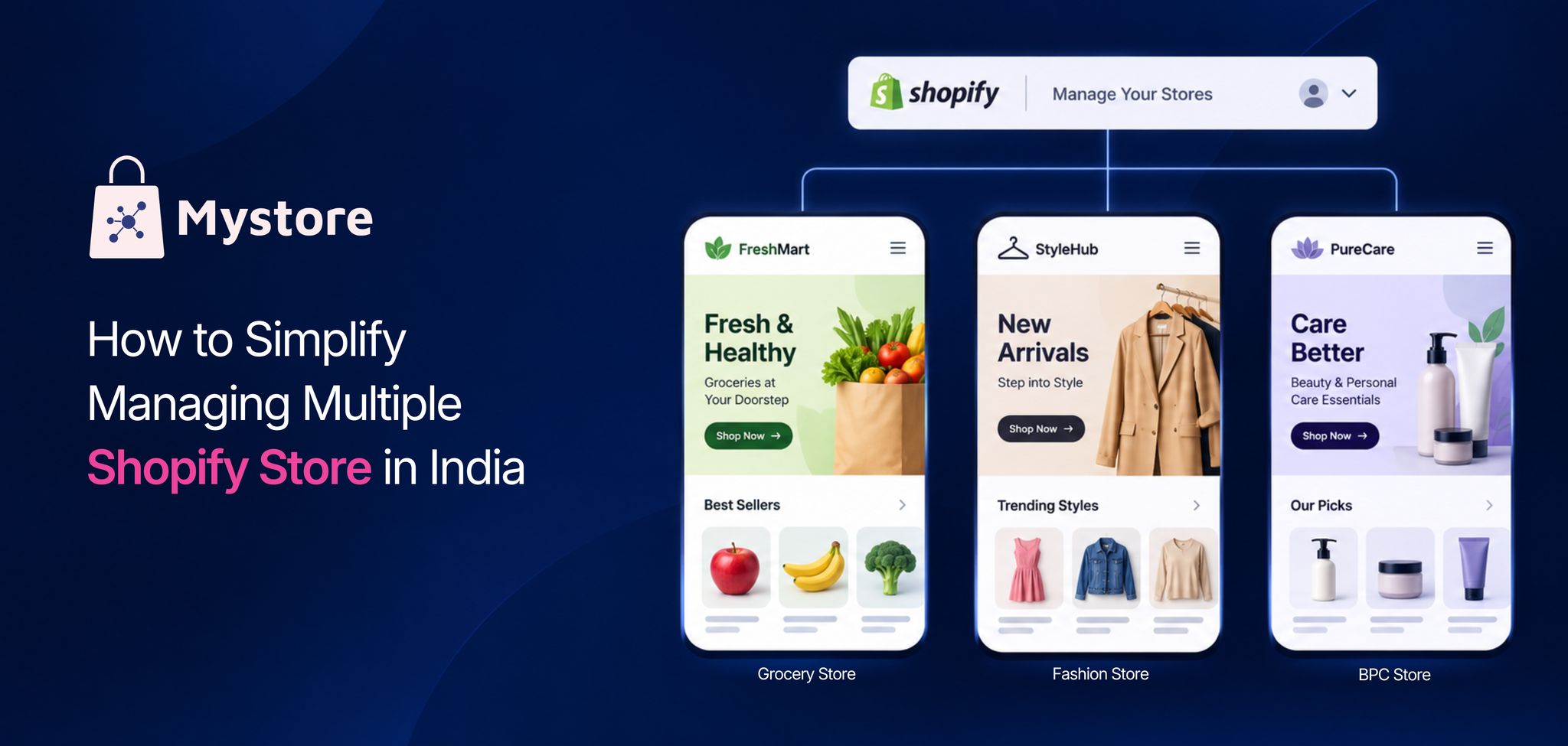
Managing multiple Shopify stores in India can get overwhelming sooner than expected. What starts with one online store soon expands into separate stores for different brands, cities or customer segments. And with every new store come more apps, integrations, dashboards and operational headaches.
Sound familiar?
Shopify does offer ways to manage multiple stores. Its organisation features help centralise user access and billing, while Shopify Plus expansion stores let businesses create additional storefronts for different markets. However, a Shopify multi store setup in India still involves separate catalogues, inventory and configurations for each store. Keeping everything in sync often requires third-party apps or custom integrations.
And the costs add up! Between Shopify Plus subscriptions, apps for inventory sync, order management and reporting, and ongoing integration expenses, a full-fledged enterprise multi-store setup can cost upwards of ₹2 lakh per month, depending on business requirements.
But does running multi store ecommerce really need so many apps and subscriptions?
Not necessarily. Let's explore how businesses can manage multiple stores with fewer apps and how Mystore Multistore® solutions bring store operations under one centralised admin.
Table of Contents
- Why Does Managing Multiple Shopify Stores Become Challenging as Your Business Grows?
- What Should You Look for in a Multi-Store Ecommerce Solution?
- How Do Mystore Multistore® Solutions Simplify Multi-Store Setup Without Multiple Apps?
- Which Businesses Can Benefit from Mystore Multistore® Solutions?
- How Can Businesses Reduce App Dependency and Costs with Native Multistore Solutions?
- How Does Shopify Multi-Store Compare with Mystore Multistore® on Costs and App Dependency?
- How to Migrate from Shopify and Set Up Mystore Multistore® in 5 Steps?
- Conclusion
- FAQ
Why Does Managing Multiple Shopify Stores Become Challenging as Your Business Grows?
Running two or three Shopify stores might seem manageable initially. But imagine a fast-growing D2C beauty and skincare brand setting up hyperlocal stores powered by local dealers for faster fulfilment. Each dealer store needs updated products, accurate inventory, relevant pricing and timely order processing.
Now multiply that across 5-10 stores in different zones pan-India.
While Shopify lets businesses group stores under an organisation or create expansion stores with Shopify Plus, individual stores still maintain separate operational data. So, updating products, changing inventory or running promotions across stores isn't necessarily a one-step process.
Here's where businesses managing multiple Shopify stores in India often run into challenges:
- Inventory synchronisation: Keeping stock levels accurate across dealer stores, especially when inventory is shared or orders are fulfilled from different locations.
- Product catalogue management: Updating product descriptions, images, variants and pricing across multiple storefronts.
- Order management: Tracking orders, assigning them to the right dealers and monitoring fulfilment without constantly switching between dashboards.
- Location-based store customisation: Managing regional catalogues, pricing, languages and promotions for location based multi store ecommerce.
- App dependencies: Adding third-party apps to synchronise data, automate workflows and connect operations across a Shopify multi store setup in India.
- Rising operational costs: Paying for multiple app subscriptions, custom integrations and ongoing maintenance as more stores are added.
And there's another consideration. Apps that work well with two stores may need additional configuration, higher subscription plans or custom integrations as the business expands.
The real challenge isn't creating more stores. It's keeping them connected and efficiently managed as the business grows.
That's why businesses exploring Shopify multi store India solutions need to look beyond the number of storefronts they can launch and consider whether a multi store with single admin approach can simplify everyday operations.
What Should You Look for in a Multi-Store Ecommerce Solution?
Once your business expands beyond a few storefronts, the question isn't just how to manage more stores. It's how to make them work together without adding more systems, costs or manual effort.
Can you manage multiple Shopify stores from one admin? Shopify offers centralised organisation controls, but managing catalogues, inventory and orders across separate stores may still require additional integrations. Businesses looking for a multi store with single admin solution should distinguish between managing store accounts centrally and running connected commerce operations from one backend.
Here's what growing businesses should look for:
- Centralised store management: Create, manage and monitor multiple storefronts, orders and everyday operations from one admin dashboard, without switching between separate systems.
- Shared catalogue with store-specific customisation: Manage products centrally while giving each store its own inventory, pricing, design, language, payment and shipping options, discounts and promotions to suit local markets and customer preferences.
- Connected inventory and fulfilment: Manage stock across warehouses and dealer locations, with orders routed according to availability and delivery zones.
- Flexible store management for partners: Enable dealers, franchisees or regional partners to manage their respective stores while the brand retains centralised oversight.
- Built-in business capabilities: Reduce dependence on separate apps for everyday operations, payments, shipping, marketing and other business requirements.
- Room to expand: Add new stores, locations and https://www.mystore.in/en/page/d2c-ecommerce without rebuilding the entire setup.
For our D2C beauty brand, this could mean launching dealer-powered hyperlocal stores across new city zones while managing catalogues, inventory and orders centrally.
Dealers handle local fulfilment, customers shop from stores relevant to their locations, and the brand maintains visibility across its entire network.
That's what businesses should look for in a multi store ecommerce solution: the freedom to expand their store network without multiplying the work behind it.
How Do Mystore Multistore® Solutions Simplify Multi-Store Setup Without Multiple Apps?
What if you could launch 5, 10 or more online stores, customise each for a different market or customer segment, and manage everything from one place without adding apps for every new requirement?
That's where Mystore Multistore® solutions offer a different approach.
Mystore comes with native multistore capabilities, built-in ecommerce features, AI-powered tools and integrated business solutions. Instead of stitching together multiple apps for inventory, store customisation, order management, shipping and other everyday operations, businesses can manage their expanding store network through one connected commerce backend.
Here's how Mystore helps businesses run multi store ecommerce with fewer third-party apps:
- Native Multistore® with one admin: Create and manage multiple storefronts, oversee orders, monitor performance and handle everyday operations from one dashboard. No separate store management apps needed.
- One catalogue, multiple customised stores: Manage a master product catalogue while giving each storefront its own products, inventory, pricing, design, domain, language, discounts, payment and shipping settings. Built-in customisation reduces the need for separate catalogue syncing and store management apps.
- Built-in AI for everyday operations: Use AI-powered capabilities for store creation, catalogue building, image editing, semantic search, recommendations, shopping and seller assistance. Specialised AI agents support customer service, marketing and logistics workflows, while a unified AI-powered conversation dashboard brings WhatsApp, web chat, voice and email into one inbox, automating routine queries and giving teams full context for human intervention where needed.
- Connected inventory, orders and fulfilment: Manage inventory across stores and dealer locations, track orders centrally and coordinate fulfilment through native commerce workflows instead of relying on multiple apps to connect operations.
- Dealer-powered hyperlocal commerce: Launch location-specific storefronts for dealers, franchisees and regional partners. Manage local catalogues, stock availability and dealer-led fulfilment while maintaining centralised brand oversight.
- Multiple selling channels, one backend: Connect web stores, PWAs, Android and iOS apps, WhatsApp and AI-powered shopping experiences to the same commerce ecosystem, reducing the need to manage disconnected channel-specific systems.
- Built-in marketing and growth tools: Access a host of built-in tools like discount engines, abandoned cart recovery, QR codes and shareable digital catalogues to drive sales and customer engagement, along with analytics and seamless integrations with popular marketing tools.
- India-ready ecommerce features: Support regional languages, GST calculation, invoicing, e-way bills, UPI and other local payment options through built-in capabilities and supported integrations.
- Integrated shipping with ShipKaro®: Access 30+ logistics providers, compare shipping rates, automate courier selection and track shipments without adding separate shipping management apps. Businesses can also connect their existing logistics partners.
- Expand without rebuilding: Add stores for new brands, cities, dealer networks or customer segments while continuing to use the same backend, instead of repeatedly assembling new apps and integrations.
Coming back to our beauty and skincare brand, Mystore can help it launch dealer-powered hyperlocal stores across new city zones, customise each storefront for local customers and manage inventory, orders and fulfilment centrally. All without building a separate technology setup for every dealer store.
For Indian brands looking for a Shopify multi store solution in India, the advantage of Mystore Multistore® goes beyond centralised management. It has native multistore functionality, built-in AI and connected ecommerce capabilities that reduce third-party app dependency, recurring costs and the effort of running multiple stores as the business expands.
Which Businesses Can Benefit from Mystore Multistore® Solutions?
Not every business needs multiple online stores for the same reason. Some want to reach customers in new cities, others need separate storefronts for different brands, and some want to bring their dealer or franchise networks online.
Here's how different Indian businesses can use Mystore Multistore® solutions to grow their online presence.
- D2C brands expanding into new locations: A beauty, fashion or lifestyle brand can create city-wise or zone-wise storefronts, offer location-specific products and promotions, and enable faster deliveries through local fulfilment partners.
- Dealer and distributor networks: Brands can set up dedicated storefronts for dealers across regions, maintain centralised catalogue control and coordinate orders and fulfilment through their distribution network.
- Multi-brand retailers: Retail businesses can launch separate online stores for different brands or product categories, each with its own identity, pricing and promotions, while managing operations centrally.
- Franchise businesses: Food, wellness, electronics and other franchise-led businesses can give franchise partners their own online storefronts while maintaining brand consistency and visibility across locations.
- Regional and multilingual businesses: Businesses selling across Indian states can create localised shopping experiences with regional languages, relevant catalogues, pricing and payment options.
- B2B and B2C businesses: Brands serving both retail customers and business buyers can create dedicated storefronts with different catalogues, pricing and buying experiences for each customer segment.
Take a growing electronics brand, for example. It might begin with one online store, then launch dedicated storefronts for its regional dealers, a separate store for wholesale buyers and another for its premium product range.
Instead of managing these as disconnected online businesses, a multi store with single admin approach can bring their day-to-day operations together while allowing each store to serve its own customers.
That's what makes multi store ecommerce useful beyond simply selling in more locations. It gives businesses the flexibility to serve different markets, business models and customer groups without creating separate operational setups for each one.
How Can Businesses Reduce App Dependency and Costs with Native Multistore Solutions?
More stores shouldn't mean more apps, subscriptions and maintenance expenses. Yet, that's often the case when businesses depend on separate tools to connect their storefronts.
With native Mystore Multistore® solutions, businesses can reduce these dependencies, save on recurring expenses and spend less time managing integrations.
Here's where the savings and operational benefits come from:
- Fewer app subscriptions: Native multistore management, catalogue customisation, inventory, promotions and order processing reduce the need for multiple paid third-party apps commonly used in a Shopify multi store setup in India.
- Lower integration and maintenance costs: With core operations running on one backend, businesses spend less time and money connecting, updating and troubleshooting separate apps and systems.
- Faster go-to-market: Launch new brands, regional stores or dealer networks using existing catalogues, store configurations and backend capabilities, reducing the time needed to enter new markets.
- Reduced developer dependency: Let business teams create storefronts, update catalogues, manage promotions and make everyday changes without relying on developers for every task.
- Less manual work: Centralised product updates, inventory visibility and order processing reduce repetitive tasks and manual coordination across multiple stores.
- Faster regional and hyperlocal expansion: Launch location-specific storefronts, onboard local dealers and extend fulfilment coverage without building separate systems for every market.
- Better operational control and visibility: Monitor sales, inventory, orders and store performance through a multi store with single admin setup, while maintaining consistent workflows across locations.
- More predictable expansion costs: Add new stores and customer segments without repeatedly investing in separate apps, integrations and operational setups for every storefront.
- Easier adoption of AI capabilities: Extend built-in AI tools for catalogue management, product discovery, shopping assistance and customer support across storefronts without integrating separate AI solutions for every store.
- Lower Store Management Overheads: Manage multiple storefronts, teams and everyday operations from one central dashboard, reducing the need for separate administrative setups and additional resources as the business expands.
For businesses managing multiple Shopify stores in India, moving to a native multi store ecommerce platform can reduce app dependency while making expansion easier to manage. Instead of spending time connecting systems for every new store, teams can focus on reaching new customers, onboarding dealers and growing their business.
How Does Shopify Multi-Store Compare with Mystore Multistore® on Costs and App Dependency?
We've seen how native multistore capabilities can reduce app dependency and operational expenses. But how does that translate into differences between Shopify and Mystore?
Here's a quick comparison of platform costs, built-in capabilities, app requirements and everyday store management.

With Mystore Multistore® solutions, businesses can reduce recurring app expenses, avoid repeated integration work and launch additional storefronts using existing backend capabilities. The actual cost and time savings depend on the number of stores, business workflows and integrations required.
How to Migrate from Shopify and Set Up Mystore Multistore® in 5 Steps?
Already running your business on Shopify? You don't have to build everything from scratch. Mystore offers a dedicated Shopify Channel Migration tool to help you move your existing store data and set up a multi store with single admin.
Here's how to get started with Mystore Multistore® solutions:
1. Sign up and choose your plan: Create your Mystore account and the Business or Enterprise plan plan based on the number of storefronts, locations and business requirements.
2. Migrate your Shopify store: Use Mystore's dedicated Channel Migration tool to import your Shopify product catalogue, images, pricing, inventory and supported business data without manually rebuilding your store.
3. Set up and personalise your storefronts: Create stores for different brands, regions or dealers. Configure individual domains, designs, catalogues, pricing, languages, discounts and other store-specific settings.
4. Configure payments, inventory and logistics: Set up store-level inventory, connect payment gateways, define delivery zones and enable shipping through ShipKaro® or your existing logistics partners.
5. Go live and manage centrally: Test your storefronts, launch your multistore network and manage products, orders, inventory and everyday operations from one admin dashboard.
With Mystore Multistore®, you can move from an app-dependent Shopify multi store setup in India to a more connected ecommerce ecosystem, while retaining your existing product data and expanding into new markets with fewer third-party apps.
Conclusion
Whether you're expanding into new markets, launching multiple brands or building a dealer-powered hyperlocal network, you need the freedom to grow without managing separate systems for every store.
That's where Mystore Multistore® solutions make a difference. Create multiple storefronts with their own catalogues, pricing, branding and local configurations, while managing them through one shared backend. With native ecommerce features, built-in AI and integrated business operations, you can reduce app dependency and keep expansion costs in check.
Already on Shopify? Use Mystore's dedicated migration tool to make the move to a more connected multistore setup.
FAQ
1. How is Mystore Multistore® different from Shopify Plus expansion stores?
Shopify Plus expansion stores allow businesses to create separate storefronts, but managing catalogues, inventory and operations across stores may require additional apps or integrations.
Mystore Multistore® solutions offer native multistore management with a shared backend and central product catalogue. Businesses can run multiple brands, regional stores and B2B or D2C storefronts with their own pricing, catalogues and customer experiences while managing operations centrally with fewer third-party apps.
2. Can I run multiple brands and business models from one Mystore Multistore® account?
Yes. Mystore Multistore® lets businesses create dedicated storefronts for different brands and customer segments, including B2B and D2C buyers, from one central admin.
For example, a fashion business can run separate stores for its premium and affordable brands, alongside a wholesale storefront for retailers. Each store can have its own domain, branding, catalogue, pricing and promotions while sharing the same backend. The number of stores depends on the selected plan.
3. Can Mystore Multistore® help businesses expand into new markets and sales channels?
Yes. Mystore Multistore® solutions help businesses launch new regional stores, introduce additional brands and expand into B2B or D2C markets without rebuilding their existing ecommerce setup.
Businesses can reuse their master catalogue and backend capabilities while customising each storefront for local preferences, buyer requirements, pricing and fulfilment. This makes it easier to enter new markets, onboard dealers and serve different customer segments while keeping operations centrally managed.
4. Can I use different payment gateways and shipping partners for each Mystore Multistore® storefront?
Yes. Mystore Multistore® allows businesses to configure payment and shipping options for individual storefronts based on their operational requirements.
For example, a business selling across India can offer different payment methods and logistics partners for its regional stores. Each storefront can have its own shipping settings and delivery coverage, while the business manages its multistore network from a central admin.
5. Can I connect multiple Mystore Multistore® storefronts to different sales channels?
Yes. Mystore Multistore® solutions support selling through multiple digital channels, including web stores, PWAs, Android and iOS apps, and WhatsApp commerce.
For example, a multi-brand retailer can serve customers through dedicated brand storefronts and mobile shopping channels while managing its commerce operations through a connected backend. This helps businesses reach customers across channels without maintaining entirely separate ecommerce systems for each one.