


 Contact Us
 Appliances
 Agri Inputs
 Auto Components & Accessories
 Beauty & Personal Care
 Electronics
 Fashion
 Grocery
 Gift Cards
 Home & kitchen
 Health & Wellness
 Vehicles & Automotives
 Books & Stationary
 Pet Care
 Toys & Games
How to Create a Free Online Store for Your D2C Brand
ONDC Network for D2C Sellers
Key Takeaways
- D2C sellers can create an online D2C storefront without a large upfront investment or extensive technical knowledge.
- Choosing the right ecommerce website builder can help you launch quickly and scale your D2C brand as your needs grow.
- A successful D2C online store needs more than a storefront, with essential features such as payments, fulfilment, mobile commerce, AI, marketing and omnichannel selling.
- Mystore brings these capabilities together, allowing you to start with core features and add more as your business grows.
You have a product, a D2C brand and customers you want to reach. But getting all three together in one place online can feel like a bigger task than expected. From setting up your storefront and adding products to handling payments and deliveries, there’s a lot to get right when you’re starting a D2C online store.
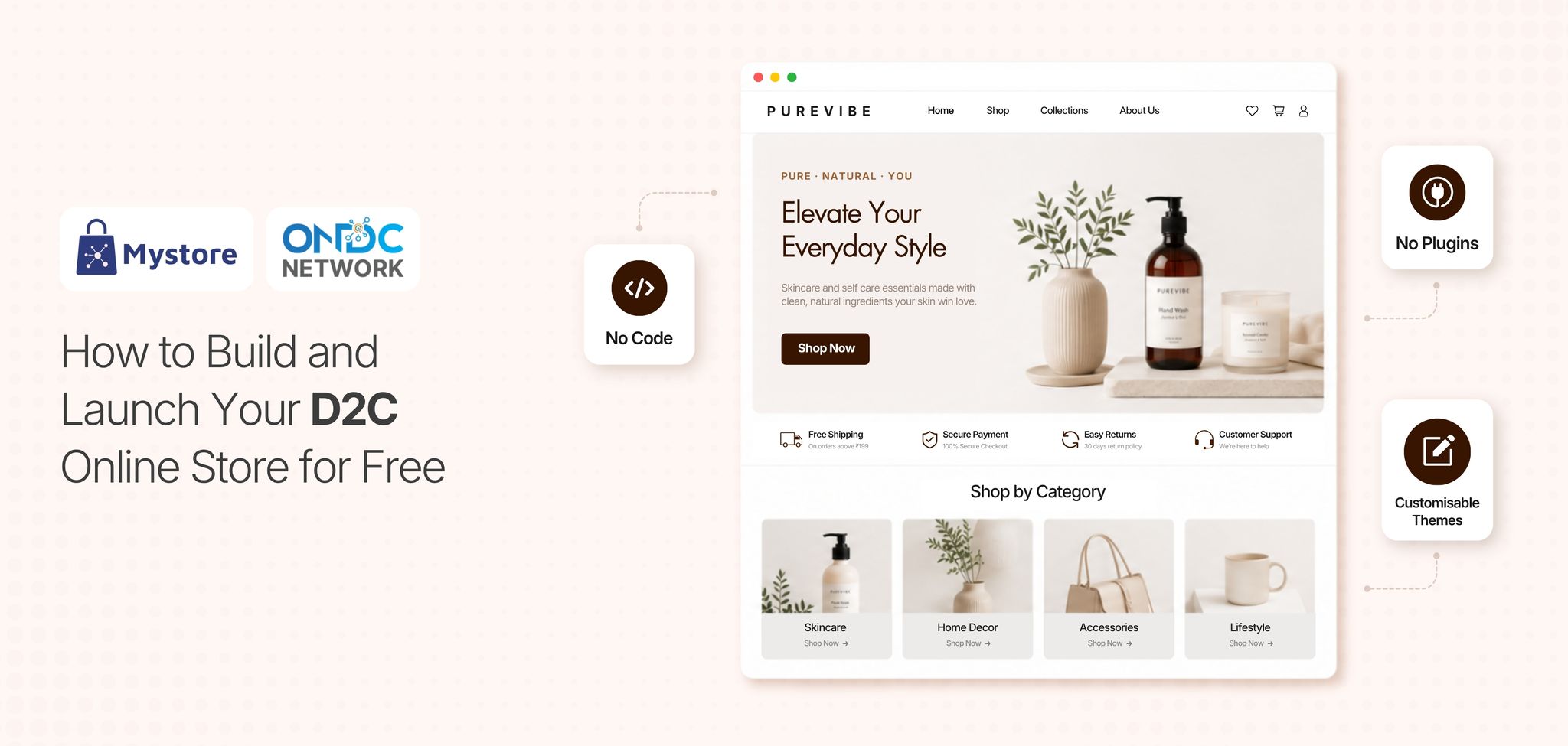
That is why the ecommerce website builder you choose matters. A D2C brand needs more than a basic website. It needs complete solutions to manage products, run offers, support mobile shopping and reach customers across different channels. Mystore, a no-code ecommerce website builder, brings these capabilities together, allowing brands to create an online D2C storefront without upfront cost. It offers built-in D2C ecommerce solutions, marketing tools, omnichannel commerce, fulfilment solutions and AI-powered features, etc to make the buying experience more relevant.
So, if you’re looking to create an online D2C storefront without spending heavily on technology, here’s a step-by-step guide to building your store, choosing the right ecommerce solutions, and getting it ready to sell. We’ll also look at how Mystore can help you get started and scale as your brand grows.
Table of Contents
- Why Every D2C Brand Needs to Create an Online D2C Storefront
- Why Should You Create an Online D2C Storefront
- How to Create a Free Online Store for Your D2C Brand
- Step 1: Define Your D2C Business and Target Customer
- Step 2: Choose a Free Ecommerce Website Builder
- Step 3: Select Your Store Name and Domain
- Step 4: Choose a Store Template and Customise Your Branding
- Step 5: Add Your Products and Build Your Catalogue
- Step 6: Set Up Payments and Checkout
- Step 7: Configure Shipping and Order Fulfilment
- Step 8: Add Essential D2C Ecommerce Features
- Step 9: Make Your D2C Online Store Mobile-Friendly
- Step 10: Test Everything Before Going Live
- How to Choose the Right Ecommerce Website Builder for Your D2C Brand
- Why Should You Choose Mystore to Create an Online D2C Storefront for Free
- Conclusion
Why Every D2C Brand Needs to Create an Online D2C Storefront
Building a dedicated storefrontfor their D2C brand lets brands control how they present products, set prices, run offers and shape the shopping experience. It also gives customers one trusted place to explore products, understand the brand and shop with confidence.
For D2C brands, an online storefront is much more than another sales channel. It becomes a direct connection with customers, while giving brands the flexibility to build stronger relationships, personalise shopping experiences, run targeted promotions and expand into new channels as they grow.
Here are a few reasons why every D2C brand should create its own online storefront:

- 82% of customers expect to buy directly from brand websites
- 15% of online shoppers actively prefer trusted brand stores
- 41% of customers go directly to specific online storefronts
- 91% of shoppers prefer buying from brands that offer personalised offers
- 28% of shoppers now find AI shopping assistants valuable
- 31% of ecommerce revenue comes from AI-driven recommendations
- 5-10% higher customer satisfaction with AI-powered personalisation
- 63% of shoppers are influenced by AI-driven product suggestions
Source: Retail Dive / BrandShop Survey, Precedence Research, Statista
These numbers point to a clear opportunity for D2C brands to build their own online storefronts. When brands have more control over the shopping experience, they can connect with customers directly, use AI-powered personalisation to make recommendations more relevant, and create shopping journeys that feel more useful and engaging.
Why Should You Create an Online D2C Storefront
A strong D2C presence is not just about selling products online; it is about creating a shopping experience that customers remember. Here are some reasons why having your own storefront can make a real difference as your brand grows:
1. Build a Direct Relationship With Customers
Marketplaces can help you reach a wider audience, but they give you limited control over how you connect with your customers. With your own D2C brand store, you can shape the entire customer experience, from how your products are presented to how shoppers discover and interact with your brand.
More importantly, you get a better understanding of what your customers actually want. Over time, these insights can help you personalise their experience, bring them back for repeat purchases and turn one-time buyers into loyal customers.
2. Create a Branded Shopping Experience
A strong branded shopping experience helps customers recognise your brand, understand what makes it different and feel more connected to what you offer. Having your own D2C ecommerce website makes this easier because you have control over how your store looks and feels.
You can choose your colours, themes, banners, product presentation and navigation instead of fitting your products into a marketplace’s fixed layout. You can also create a consistent experience across the entire buying journey, from product discovery and browsing to checkout.
3. Keep More Control Over Pricing and Promotions
You can create offers that help you sell more without cutting into your profit margin. This gives you more flexibility to plan promotions around your business goals instead of relying mainly on marketplace-driven offers that create competition.
4. Build a Scalable Sales Channel
The right D2C ecommerce website buildershould grow with your brand instead of forcing you to set up everything at once. You can start with your core catalogue, see which products customers respond to and gradually expand your online presence as your business grows.
As demand picks up, you can add channels such as mobile apps, PWAs, WhatsApp and other relevant touchpoints. Choosing the right platform from the start also means you can scale without having to rebuild your entire ecommerce setup every time your business reaches the next stage.
How to Create a Free Online Store for Your D2C Brand
You don’t need a huge investment or a technical team to create an online D2C storefront. With the right D2C ecommerce solutions and tools, you can easily launch and scale your D2C ecommerce brand and start selling without making the process harder than it needs to be.
From choosing a scalable D2C ecommerce website builder to adding products, setting up payments and testing your store, here’s how you can build your D2C online store step by step:

Step 1: Define Your D2C Business and Target Customer
Before you start building your D2C online store, get clear on what you’re selling and who you’re selling to. Knowing your products and target customers will make it easier to choose the right D2C ecommerce solution provider, design your store and create a shopping experience that feels relevant.
Start by asking yourself a few simple questions: Who are your customers? What makes your brand different? Which products do you want to launch first?
These answers will shape everything from your store design and product pages to the information you share with customers.
For example, a skincare brand may need to highlight ingredients, skin types and how to use its products. A home furnishings brand, on the other hand, may need to focus more on product sizes, materials and how the products look in different spaces.
So, before you create an online D2C storefront, take the time to understand your customers, products and what makes your brand worth choosing.
Step 2: Choose a Free Ecommerce Website Builder
Now that you know what you want to sell and who you want to sell to, it’s time to choose a free ecommerce website builder to set up your online store.
You don’t need to spend a lot on developers or an IT team to get started. A scalable and future-ready D2C ecommerce website builder can help you build and launch your store quickly, even if you don’t have much technical knowledge.
It can also make it easier to add products, introduce new features and expand to more sales channels as your business grows.
However, don’t let the word “free” be the only thing you look at. Take a closer look at what the free plan actually includes and whether it can support your D2C brand beyond the initial launch. You should be able to manage your storefront, catalogue, payments and orders without needing technical help every time you want to make a small change.
You should also check whether the platform offers the built-in features you may need as your D2C brand grows. Look for must-have features such as marketing tools, mobile commerce, analytics, SEO, AI capabilities, integrations and security. Choosing a platform that offers these features from the start can help you scale smoothly without relying heavily on third-party integrations and plugins or having to switch platforms later.
Step 3: Select Your Store Name and Domain
Now is the time to select your store name and domain. And yes, this is worth giving some thought to because your store name is often the first thing customers remember about your brand.
Keep the name simple, easy to pronounce and easy to search. Ideally, your domain should match or closely align with your brand name so customers can find your store without confusion. For example, if your brand is called “Nourish Naturals,” a domain such as “nourishnaturals.com” is easier to remember than a domain with extra words or numbers.
A simple, memorable name can make it easier for customers to recognise your brand and find your D2C online store again.
Step 4: Choose a Store Template and Customise Your Branding
The next step is to choose a store template and make it feel like your brand.
Choose a template that suits your products and gives you enough freedom to customise your colours, logo, fonts, images and other design elements.
Your store should feel consistent with your brand while making it easy for customers to browse and shop. Keep the design clean and simple, so customers can quickly understand what you sell, explore categories and find the products they need.
You can also add sections such as About Us, Contact Us and your brand story. These small details can help customers understand who you are and build a stronger connection with your brand.
A well-designed D2C ecommerce website should look professional, but more importantly, it should make shopping feel simple and effortless.
Step 5: Add Your Products and Build Your Catalogue
Now that your D2C online store is ready, it’s time to add your products and create your catalogue.
Adding a product is not just about uploading its name, price and image. Your product page should give customers all the information they need to understand the product and make a purchase decision.
Think about the questions a customer may have before buying. What does the product look like? What are its features? Which size or variant should they choose? When will it be delivered? Can they return it if needed?
Make sure your product pages include:
- Clear product name and description
- High-quality product images
- Price and available variants
- Stock availability
- Product specifications
- Delivery information
- FAQs
- Return and refund details
Also, keep your product descriptions simple, engaging and informative. If you’re a new D2C brand, many shoppers may be discovering your products for the first time. A well-written description can help them quickly understand what your product does, what makes it useful and why it may be right for them.
Step 6: Set Up Payments and Checkout
Once your products are added, the next step is to set up payments and checkout.
Make sure customers can pay using the methods they already prefer, such as UPI, credit and debit cards, net banking and wallets, where relevant.
At checkout, keep the process short and avoid asking for information you don’t really need.
Also, make sure customers can clearly see the product price, shipping charges and final order amount before they pay. Once the order is placed, send a clear confirmation message with the order details and what they can expect next.
A smooth checkout removes unnecessary friction and makes it easier for customers to complete their purchase with confidence.
Step 7: Configure Shipping and Order Fulfilment
Here's something every new D2C brand should think about before launch:
What happens after the customer places the order?
It’s easy to focus on your storefront, product photos and marketing, but the customer experience continues even after the order is placed. You need to plan how you’ll deliver orders, help customers track them and handle returns or exchanges when needed.
Before you launch, be clear about where you’ll deliver, your shipping charges, how quickly you can process orders and which logistics partners you’ll work with to fulfil deliveries.
Make sure you have a plan for delivery locations and serviceability, shipping charges, order processing timelines, logistics partners, order tracking, returns, exchanges, refunds, etc
A great-looking D2C brand store can attract customers, but a smooth delivery and post-purchase experience can make them trust your brand and come back again.
Step 8: Add Essential D2C Ecommerce Features
Once your D2C online store is set up, think about the features that can make shopping easier for customers and managing the store simpler for you. You don’t need everything from day one. Focus on the essentials and add more as your needs grow.
Start with features that help customers find products, make confident buying decisions and complete their purchases easily. For example, AI-powered search can help customers find the right products using natural queries, while AI-powered recommendations can show them products that match their interests. An AI shopping assistant can take this a step further by helping customers discover products, compare options and choose what works best for them.
You can also add reviews and ratings to build trust, wishlists to encourage customers to return, and coupons and discounts to run promotions. On the operations side, inventory and order management can help you keep track of stock and orders without juggling everything manually.
Depending on your D2C ecommerce business, you can add other useful features like analytics, SEO tools, customer support and abandoned-cart recovery.
You don’t have to add everything at once. Start with the features your customers and business need today, and build on them as your D2C brand grows.
Step 9: Make Your D2C Online Store Mobile-Friendly
With around 80% of ecommerce shopping happening on mobile devices, a mobile-friendly store is no longer an added advantage; it’s a must-have for any D2C online store.
Before launching your D2C ecommerce brand, open your store on your phone and browse it like a customer. Check whether you can easily find products, read descriptions, view images, select variants and complete the checkout.
Your D2C online store should load quickly, be easy to navigate and make it simple for customers to complete their purchases on smaller screens.
As your business grows, you can also consider adding a mobile app or PWA to give customers more ways to shop.
Step 10: Test Everything Before Going Live
Before you launch your D2C online store, take a step back and shop through it like a real customer. Don’t just check whether the homepage looks right. Search for a product, browse categories, open product pages, add items to your cart and place a test order.
Pay attention to the small details along the way. Check whether payments work smoothly, order confirmations and notifications are sent correctly, shipping and tracking information is clear, and coupons apply as expected. Also go through the entire journey on your phone to make sure the experience works just as well on a smaller screen.
It’s also worth checking your return and refund process before launch. You want to know that everything works as expected before your first real customer places an order.
A thorough final check can help you spot issues early and ensure your store is ready to welcome customers from day one.
How to Choose the Right Ecommerce Website Builder for Your D2C Brand
The right ecommerce website builder should make it easy to launch your store now and support your D2C brand as it grows. Look beyond the price tag and feature count. Check how easily you can manage your store, customise it, add new channels and handle everyday operations without depending on technical help.
The platform with the lowest price is not always the best fit, and a long list of features does not automatically make one platform better than another. Start by looking at what your business actually needs now and where you want to take it next.
Can you launch your store without much technical help? Can you customise the storefront to match your brand? Can you easily manage products, inventory and orders? Are payments and logistics built in? Can you add marketing tools, mobile commerce and new sales channels as your business grows?
Pricing also needs a closer look. A “free” platform may have feature limits, transaction fees or paid upgrades. Instead of asking only, “Is it free?”, check what you can actually use at no cost and which features you may need to pay for later.
The goal is simple: choose a platform that works for you now but doesn’t hold your D2C brand back as your needs grow.
Why Should You Choose Mystore to Create an Online D2C Storefront for Free
For new and growing brands, setting up a D2C online store is only the first step. You also need the right tools to manage products, orders, customers and sales channels as your business grows.
Mystore brings these must-have D2C ecommerce capabilities together on one platform. You can start with a free storefront and add more advanced features as your business requirements increase.
Here’s what you get with Mystore:
1. No-Code D2C Ecommerce Website Builder
You don't need a developer or IT team to create an online D2C storefront. Mystore's no-code D2C ecommerce website builder lets you create and customise your storefront, add products and start selling without relying on developers or handling complicated technical tasks.
You can start with the core features available on the free plan and upgrade as your business needs expand.
2. AI-Powered Solutions
AI can automate several repetitive ecommerce tasks while helping brands make the shopping experience more useful for customers. Mystore offers AI-powered capabilities such as AI-powered cataloguing, an AI image editing tool, Magic Edit, AI semantic search and personalised recommendations. These features can help D2C brands manage product information more easily and help shoppers discover relevant products faster.
Mystore also offers a built-in AI chatbot, Mystore Genie, which enables D2C brands to offer guided shopping experiences, helping customers discover products, get relevant answers and make purchase decisions more easily.
For enterprise D2C brands looking to build more tailored experiences, Mystore also provides no-code bot builders that let them create their own AI agents like Genie. These bots can be customised for shopping assistance, customer support and other business needs.
3. Unified Omnichannel Selling
Your customers may discover your brand on your website, browse products on WhatsApp or shop through other digital channels. Mystore helps you sell across web, mobile, WhatsApp, PWA, AI chat and voice channels, while also enabling you to reach customers through ONDC Network buyer apps.
The best part is that all these channels stay connected. You can manage products, inventory and orders from one place instead of handling each channel separately. This makes it easier to offer customers a consistent shopping experience, no matter where they choose to shop.
4. Unified Conversation Dashboard
Customers rarely interact with a brand through just one channel. A conversation may begin on WhatsApp, continue through a chatbot, and later move to email or voice. Managing these interactions separately makes it difficult for support teams to maintain context and deliver a consistent experience.
Mystore brings conversations from WhatsApp, web, voice, email and other connected channels into one unified, AI-powered conversation dashboard, organised around the customer rather than the channel.
Alongside the conversation history, teams can access customer details, cart information and order history in the same view. AI can handle routine queries and draft responses using relevant business data, while more complex conversations can be escalated to the support team with the complete interaction history and customer context already available.
5. WhatsApp Commerce Solutions
WhatsApp is already one of the most widely used communication channels in India, and customers are increasingly comfortable using it to interact with businesses. With Mystore, D2C brands can take this channel a step further by bringing product discovery and shopping to WhatsApp.
D2C sellers can connect their WhatsApp Business account with Mystore and bring their products, catalogues and shopping experience to WhatsApp. This gives customers another convenient way to browse products and connect with the brand, while businesses can extend their existing ecommerce setup to WhatsApp instead of managing a completely separate shopping system.
6. Support for Diverse Business Models
Ecommerce keeps changing, and new business models and selling trends continue to emerge. Brands must have the flexibility to experiment with new opportunities, test different ways of selling and adapt their business models as the market evolves.
Mystore supports multiple business models, including B2C, B2B, B2B2C, multi vendor marketplaces, hyperlocal and quick commerce. So, when you create your D2C online store with Mystore, you can expand into diverse business models as your business grows. This gives you the flexibility to explore new opportunities and find the model that works best for your brand.
7. Efficient Fulfilment Solutions
A smooth checkout is only one part of a good customer experience. Your D2C brand also needs a reliable way to process, ship and deliver orders as sales grow.
Mystore is integrated with 30+ On Network logistics solutions, giving you access to multiple fulfilment options to manage shipping and deliveries more efficiently. This makes it easier to handle growing order volumes while keeping the post-purchase experience smooth for customers.
8. Built-in Marketing Tools
Once your store is live, you need the right tools to attract customers, promote your products and encourage purchases. Mystore offers built-in marketing tools such as discounts engine, shareable QR codes, PDF cataloguing, abandoned cart recovery, personalised recommendations, etc.
These tools make it easier to run promotions, showcase your products and create more opportunities for customers to discover and shop from your D2C online store.
Note: Not all features are available on the free plan, but you can get started with the core features and upgrade as your needs grow.
Conclusion
Starting a D2C online store doesn’t have to mean a large upfront investment or a long technical setup. With the right ecommerce website builder, you can create your storefront, add products, set up payments, manage orders and start selling online while keeping your options open for future growth.
Mystore brings these essential capabilities together, from a no-code storefront and AI-powered tools to omnichannel selling, WhatsApp commerce, marketing and fulfilment solutions. You can start with the core features available on the free plan and upgrade as your business needs grow.
Ready to build your D2C online store? Register on Mystore now.