


 Contact Us
 Appliances
 Agri Inputs
 Auto Components & Accessories
 Beauty & Personal Care
 Electronics
 Fashion
 Grocery
 Gift Cards
 Home & kitchen
 Health & Wellness
 Vehicles & Automotives
 Books & Stationary
 Pet Care
 Toys & Games
How to Create an AI Powered Storefront for Free
AI Powered Storefront
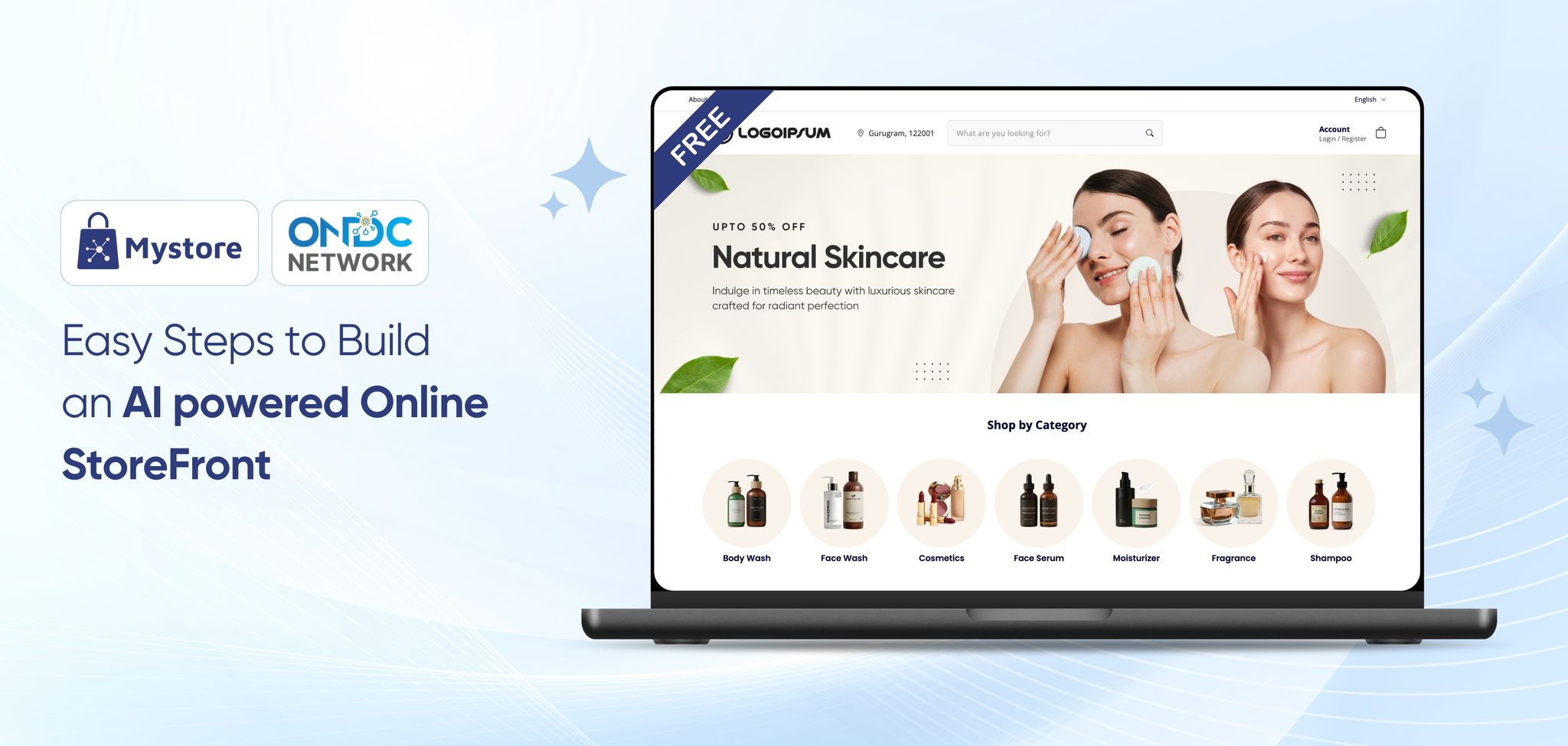
AI is transforming ecommerce faster than ever, making stores smarter, operations quicker, and customer experiences more personalised. From automated cataloguing to intelligent recommendations, AI is no longer just an add-on; it’s the engine driving higher conversions, better efficiency, and long-term growth for modern businesses.
So if you’re planning to create an AI-powered storefront online that keeps up with today’s digital-first shoppers, you’re on the right track. And the best part? You don’t need heavy investments or technical expertise to create an online store with AI capabilities for business growth anymore.
Wondering how?
By launching your storefront on Mystore.
Mystore is a modern ecommerce website builder that empowers you to launch a beautifully branded, ONDC Network connected, AI-powered storefront in minutes, that too at absolutely zero cost and zero coding
Let’s explore how to set up your AI-powered storefront on Mystore and why now is the perfect time to start.
Table of Contents
- Why This is the Right Time to Build an AI Powered Online Storefront
- 7 Steps to Build an AI-Powered Storefront on Mystore for free
- 1. Sign Up on Mystore as a Seller
- 2. Create Your Free Storefront
- 3. Customise Your Storefront Design
- 4. Upload Your Products Using AI-Powered Cataloguing and Magic Edit
- 5. Leverage AI-Powered Search and Product Recommendations
- 6. Set Up Payments, Taxes, and Shipping
- 7. Launch Your Store and Let AI Power Your Growth
- Conclusion
Why This is the Right Time to Build an AI Powered Online Storefront
AI is redefining how online brands grow, reshaping both customer interactions and operational efficiency.
Across every stage of the ecommerce journey, AI is helping brands move faster, deliver highly personalised experiences, and streamline complex workflows, thanks to intelligent, adaptive systems that continuously learn and improve. It’s not just a technology shift; it’s a new blueprint for scalable, future-ready marketplace success.
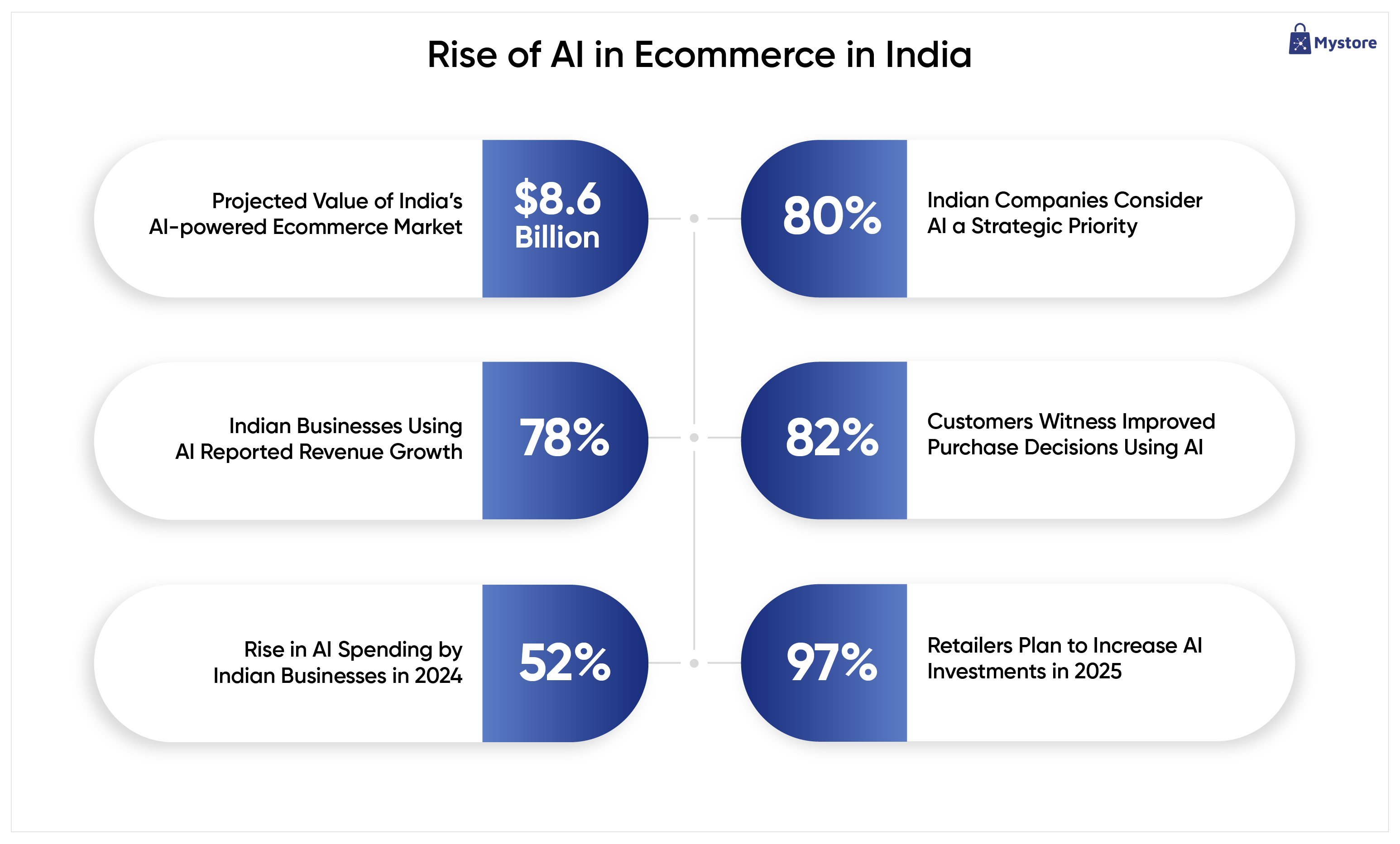
- $8.65 bn projected value of India’s AI-powered ecommerce market
- 80% of Indian companies consider AI a strategic priority
- 78% of Indian Businesses using AI reported revenue growth
- 82% of Indian Customers witness improved purchase decisions using AI
- 52% rise in AI spending by Indian businesses in 2024
- 97% of retailers plan to increase AI investments in 2025
Source: Elightwalk, DD News, IBM, Convergence Now
It’s clear that AI has moved from a “nice-to-have” to a “must-have” for brands aiming to scale faster and engage customers more effectively. When you integrate AI-driven ecommerce capabilities into your online storefront, you’re not just upgrading technology, you’re elevating the entire buyer experience.
7 Steps to Build an AI-Powered Storefront on Mystore for free
With ONDC Network connectivity, flexible and AI-first ecommerce website builder Mystore, your brand can tap into previously untapped and new markets, boost visibility PAN India, and scale with unmatched speed and efficiency. Let’s explore the 7 essential steps to build an AI-powered online storefront on Mystore that’s scalable, intelligent, and ready to future-proof your brand’s digital journey.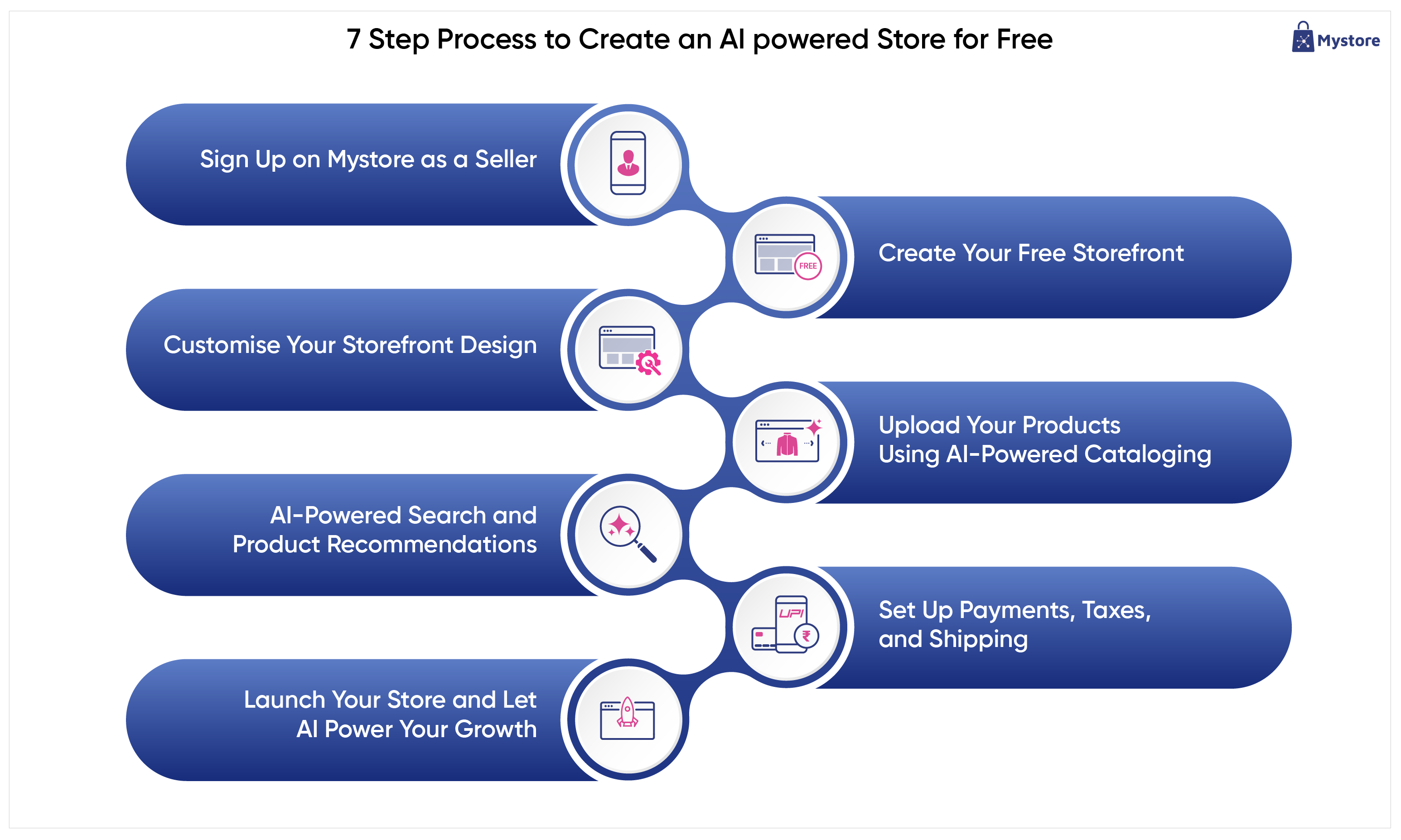
1. Sign Up on Mystore as a Seller
Mystore makes onboarding effortless so you can focus on building your AI-powered online storefront instead of struggling with complicated software. It’s the fastest way to launch a professional online store and start selling with confidence.
All you need to do is register as a seller by entering a few basic details, verifying your mobile number, email ID, GSTIN number, etc. Get your KYC done, and within minutes, you get access to the Mystore dashboard, from where you can create your online store.
2. Create Your Free Storefront
Once you’re inside the Mystore dashboard, it’s time to create your own storefront. Open the Storefront menu, select Store Settings, and click Add Storefront. A store configuration form will appear where you can enter all your store details.
Simply add your store name and choose a custom store URL (for example: mystore.in/store/yourbrand). Select a theme from the available substore designs, upload your logo and favicon, and write a short description for your storefront. You can also integrate analytics and tracking, add contact details, link your social media profiles, and save your settings.
In minutes, you have a dedicated online shop that’s professional, mobile-friendly, and 100% free. Your Mystore link becomes a ready-to-share digital storefront you can promote across social media, WhatsApp, packaging, ads, and everywhere your customers are.
3. Customise Your Storefront Design
This is where your store begins to look and feel like your brand. Mystore gives you an intuitive, drag-and-drop design editor where you can upload your logo, apply your brand colours, add banners, choose layouts, and personalise your theme. Every change appears in real time, making the entire setup smooth, visual, and beginner-friendly. Whether you’re a growing enterprise or just starting to create an online store, you can build a polished, professional AI-powered storefront in minutes. Your online store will look stunning on both desktop and mobile, helping you make the perfect first impression on customers.
4. Upload Your Products Using AI-Powered Cataloguing and Magic Edit
Now is the time to upload your products. You can upload up to 1,000 products absolutely free. Start by adding products for free with the Mystore AI cataloguing tool. When your business grows, you can upgrade your plan and keep scaling without friction. Mystore’s AI-powered cataloguing tools help you upload products faster than ever. Simply upload product images, and Mystore automatically generates titles, descriptions, categories, and attributes, saving hours of manual work. You can also enhance product images using Mystore Magic Edit, ensuring your catalogue looks clean, consistent, and professional.
This is perfect for brands wanting to build an AI powered online storefront with enterprise-level catalogue quality, without the heavy workload or cost.
5. Leverage AI-Powered Search and Product Recommendations
Mystore’s built-in AI transforms your storefront into a smarter, more intuitive shopping experience. Leverage AI search to help customers instantly find what they’re looking for based on intent, keywords, and browsing behaviour. Turn on personalised product recommendations to show relevant items that increase discovery and order value.
These tools work quietly in the background, analysing shopper patterns and delivering the most accurate suggestions. For anyone looking to create free website for business growth, AI gives your store the intelligence it needs to convert buyers faster and increase revenue.
6. Set Up Payments, Taxes, and Shipping
Before going live, it’s essential to strengthen your operational backbone. Mystore allows you to activate multiple secure payment options, generate GST-compliant invoices, and configure taxes effortlessly. For shipping, you get real-time rates from 20+ logistics partners, automatic carrier assignment, and easy label generation. You can even customise shipping rules to match your business needs. These features ensure your orders move smoothly from checkout to delivery without complications. From payments to packaging, Mystore ecommerce website builder handles the infrastructure so you can deliver a seamless experience to every buyer, no matter where they shop.
7. Launch Your Store and Let AI Power Your Growth
Now you’re ready to go live and start selling. With one click, your store is active and fully discoverable, not just on your storefront URL but across the entire ONDC Network buyer apps, instantly expanding your reach. Once you create an online store and go live, Mystore’s AI tools take over, optimising recommendations, improving catalogue visibility, automating workflows, and supporting buyers through the Mystore Genie AI Shopping Assistant. Your store grows smarter with every interaction, helping you attract more customers, reduce manual work, and scale faster. This is the true power of an AI-driven storefront, simple to set up, intelligent to manage, and built for long-term success.
Conclusion
Creating an AI-powered storefront no longer requires heavy investments, coding knowledge, or complicated software. With Mystore, any business can create an online store in minutes and start selling with confidence. Whether you want to build an AI powered online storefront to expand your brand, create a free website for business growth, or explore smarter ecommerce website builders, Mystore gives you everything you need at zero cost.
From AI cataloguing to intelligent recommendations, every tool is designed to help you scale faster and sell better. So if you’re ready to transform your business with the power of AI, now is the time to start.
Visit Mystore Seller App today and register as a seller now.