


 Contact Us
 Appliances
 Agri Inputs
 Auto Components & Accessories
 Beauty & Personal Care
 Electronics
 Fashion
 Grocery
 Gift Cards
 Home & kitchen
 Health & Wellness
 Vehicles & Automotives
 Books & Stationary
 Pet Care
 Toys & Games
Transaction Tracking
The Transaction Tracking section enables sellers to monitor incoming payments and verify them against orders.

View Payment Reports
Where to find: Dashboard → Reports
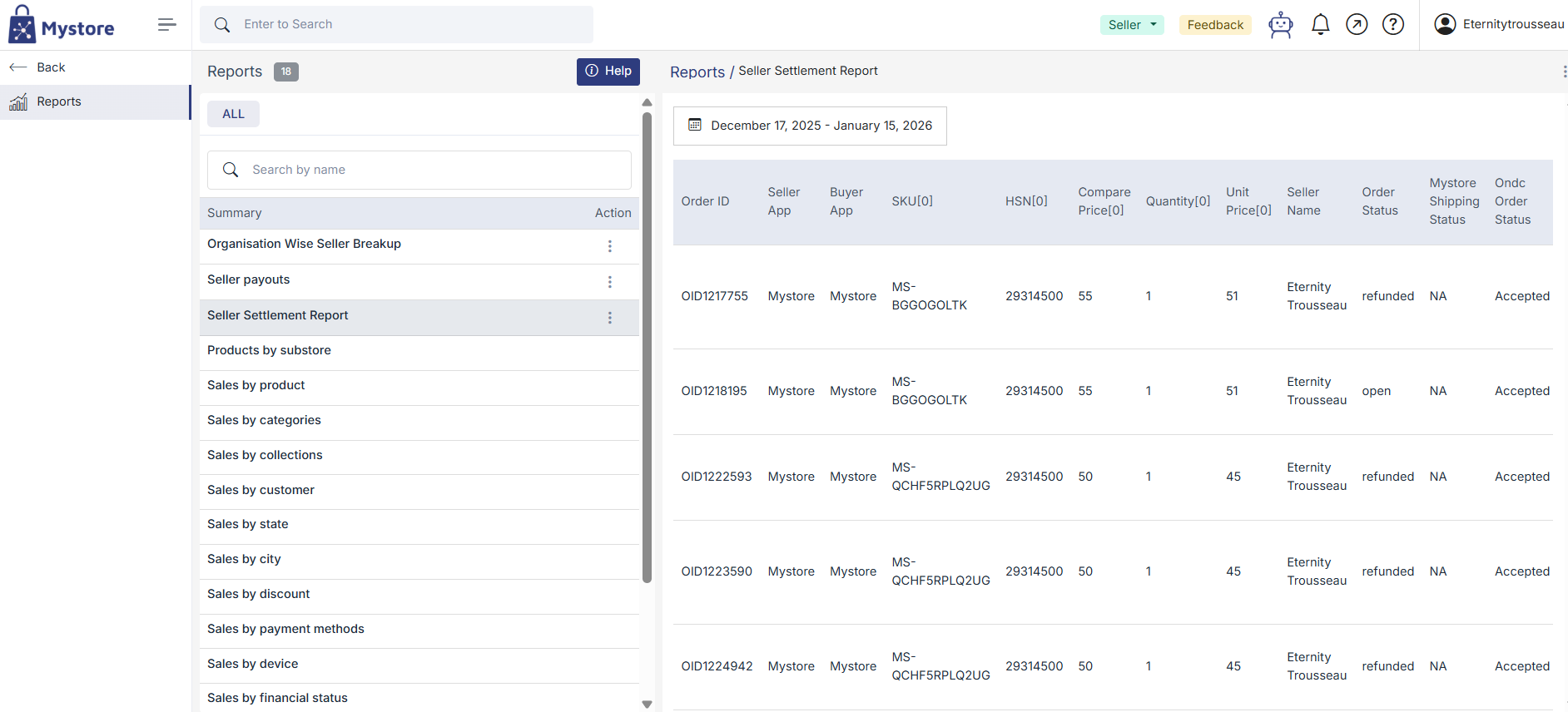
What it shows:
- Order ID
- Payment status (Pending / Processed)
- Payment date
- Amount credited
- Mode of payment
Steps to download report:
1. Go to the Payment Reports section.
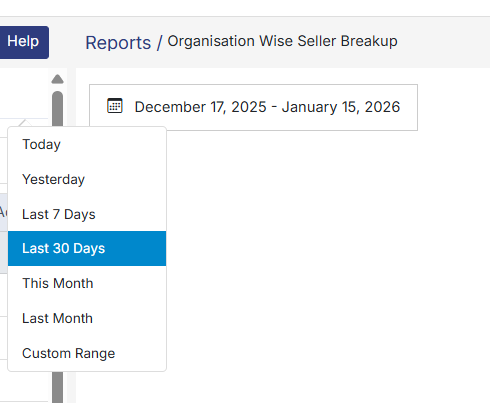
2. Apply date or status filters if required.
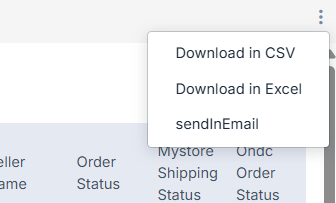
3. Click on Export CSV or Download PDF or email.
Reconciliation Process
Purpose: Match payments received with corresponding orders to ensure no discrepancies.
Steps:
- Retrieve your order list and export it.
- Download the payment report for the same date range.
- Use Order ID as the reference key to match both sheets.
- Check for any:
- Missing payments
- Incorrect deductions
- Delay in disbursement
If mismatches occur, raise a support ticket under the Payments category with relevant order IDs and screenshots.